Flipper Zero
A pocket multi-tool that packs a sub-GHz CC1101 radio, 13.56 MHz and 125 kHz RFID, infrared, 1-Wire/iButton, BLE, USB HID and a GPIO header into one battery-powered device, convenient for field capture and replay but weaker than dedicated gear at every single one of those jobs.
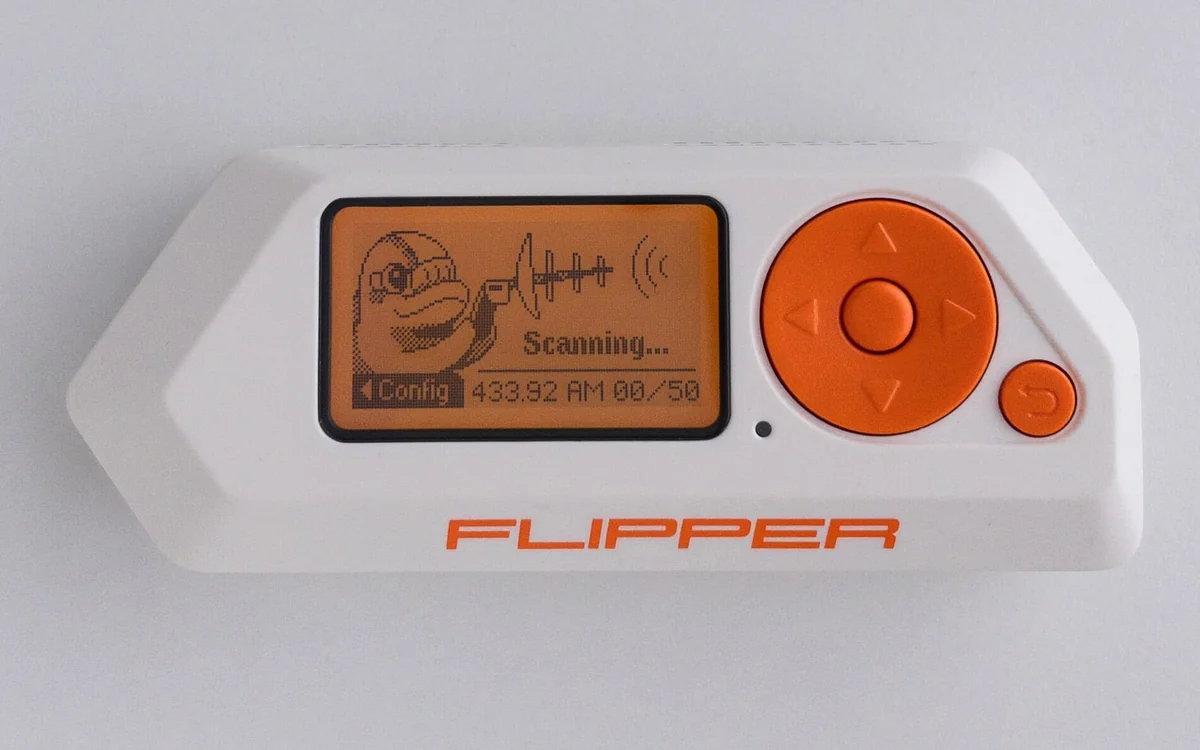
The Flipper Zero is a handheld device that bundles most of the short-range radio and wired interfaces a hardware tester carries, into one battery-powered unit with a screen and a scriptable interface. It is genuinely useful for triage and for fieldwork where carrying a laptop and four dongles is impractical. It is not a replacement for any of the specialist tools it imitates, and treating it as one is where people go wrong.
What is inside
The main MCU is an STM32WB55, a dual-core part whose second core runs a BLE stack. Around it:
| Interface | Part / band | Can do |
|---|---|---|
| Sub-GHz | Wiki: cc1101, roughly 300-348 / 387-464 / 779-928 MHz | receive, record, replay, transmit |
| NFC / HF | ST25R3916 at 13.56 MHz | ISO14443A/B, ISO15693, read and emulate |
| LF RFID | 125 kHz coil | EM4100 and similar, read, emulate, write to T5577 blanks |
| Infrared | IR transceiver | learn and replay consumer remotes |
| 1-Wire | iButton contact | read and emulate DS1990 style keys |
| USB | device port | BadUSB HID injection, plus serial console to the firmware |
| GPIO | 18-pin header, 3.3V | UART, SPI, I2C to a target, and external modules |
The GPIO header is the underrated part: it makes the Flipper a serviceable Wiki: usb-uart substitute and a bus master for SPI and I2C on 3.3V targets.
Where it is genuinely good
Triage. Walk up to an unknown remote, record the sub-GHz burst, see the frequency and the decoded protocol if it is a known one, and know within a minute whether it is a static code worth chasing. Same for a badge: read it, see whether it is a 125 kHz EM4100 that clones in seconds or a 13.56 MHz card that will need real work. Doing that with an SDR, a laptop and a reader takes far longer and does not fit in a pocket.
Where it is weak
- Sub-GHz is packet-level only. There is no spectrum view, no IQ capture, no arbitrary waveform. Unknown or unusual modulation schemes need an Wiki: rtl-sdr to characterise first. The Flipper's "Read RAW" saves a
.subfile it can resend, but that is replay, not analysis. - Rolling codes are not replayable. Modern car remotes and KeeLoq-style garage doors change the payload each press. A recorded frame is spent. A green "captured" screen does not mean you have a working key.
- Wiki: mifare-classic key recovery is limited. The Flipper reads cards whose keys are in a dictionary and emulates what it has read. Recovering unknown keys with nested or darkside attacks is a Wiki: rfid-nfc job for a Proxmark3, which also handles the low-level card behaviour the Flipper simply does not expose.
- BLE is application-oriented. The STM32WB55 radio drives the Flipper's own BLE features. It is not a Wiki: ble sniffer; use an Wiki: nrf52840-dongle for that.
- A read is not a clone. Reading a card's UID proves nothing about whether it can be cloned, and many modern credentials (DESFire, iCLASS SE, secure MIFARE deployments) authenticate cryptographically and will not be emulated by a captured UID.
Firmware
The official firmware limits sub-GHz transmission to regionally permitted bands. Community forks (Unleashed, Momentum and others) remove those restrictions and add protocol support. That is a legal question rather than a technical one: transmitting outside your allocation, and against equipment that is not yours, is exactly the line this tool made easy to cross by accident.
Pitfalls
- Adding modules over the GPIO header (a WiFi devboard, an external CC1101, an NRF module) changes what the device can do, but the header is 3.3V only and not tolerant of 5V targets.
- Signals saved on the SD card are protocol-specific files, not raw recordings by default. Check whether you saved a decoded protocol or a raw sample before you count on replaying it later.
- The convenience makes it easy to skip understanding the protocol. Everything the Flipper does can be done, and understood better, with the underlying tools; use it to move fast, not to avoid learning what the frame contains.
Further reading
Used in these courses
Capture a car/garage keyfob on sub-GHz, decode the OOK/Manchester frame, and prove a 'rolling' code with a static counter is a replayable fixed code - recover the flag.
Wireless Replay: Sub-GHz and Zigbee**Beginner** probe lab. Wireless capture-and-replay tradecraft with the probe CLI against two intro boxes: a fixed-code sub-GHz garage remote and a Zigbee scene-recall bulb. Model B: bring your own probe CLI, flags travel over the air.