EEPROM
Small non-volatile memory holding config, calibration, serials and sometimes secrets. Usually a tiny 8-pin I2C 24-series part, trivial to read in-circuit and to diff for stored fields.
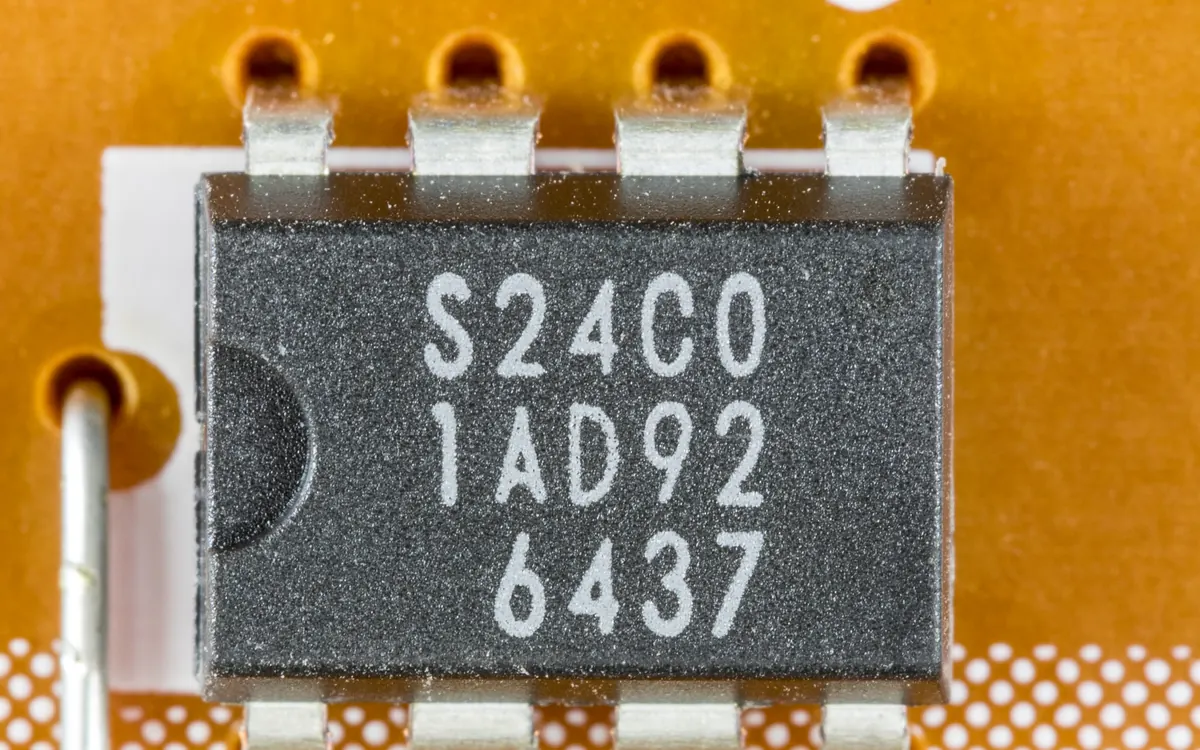
An EEPROM (Electrically Erasable Programmable Read-Only Memory) is a small non-volatile memory that stores configuration, calibration data, serial numbers, and sometimes keys, most often over an I2C bus. The classic part is a tiny 8-pin 24-series chip like the 24C01 pictured; on the bench it is one of the easiest components to read and tamper with.
What it is
Where SPI NOR flash holds megabytes of firmware, an EEPROM holds bytes to kilobytes of settings. The dominant family is the 24-series I2C EEPROM (24C02 = 2 Kbit = 256 bytes, up through 24C256 = 32 KB and beyond), addressed on the two-wire I2C bus. A second, older family is the 93-series Microwire EEPROM (93C46), a small SPI-like 3-wire part still common in network cards and monitors. Both come in 8-pin DIP or SOIC packages. The chip is byte- or page-writable and retains data with no power, which is exactly why devices use it for state that must survive a reboot.
Why it matters
EEPROMs hold a device's persistent identity and policy: MAC addresses, region and model locks, calibration constants, feature or license bits, boot counters, and occasionally credentials or keys. Because they are tiny, standard, and slow-moving, they are trivial to read in-circuit and a rewarding recon and tamper target. Flip a region-lock byte or a "provisioned" flag and the device's behaviour can change; read the contents and you often learn how the product identifies itself.
How to attack it
- Identify the part. Read the marking: a
24Cxx/24LCxxis I2C, a93Cxxis Microwire. The number encodes the size. - Get on the bus. Clip it with a SOIC-8 clip, or probe the SDA/SCL pads. Address pins A0-A2 select the chip address (default
0x50). - Dump it. A Bus Pirate, a CH341A (I2C mode), or a dedicated reader all work.
# Bus Pirate + flashrom-style read, or i2c tools on a Linux SBC:
i2cdetect -y 1                       # find the device (e.g. 0x50)
# read all 256 bytes of a 24C02 at 0x50 on bus 1:
for a in $(seq 0 255); do i2cget -y 1 0x50 $a; done > eeprom.txt
- Diff to locate fields. Dump, change one setting in the device's UI, dump again, and
diff/cmpthe two images. The bytes that moved are the field you changed, which maps the layout for you.
Pitfalls
- Write is easy, and irreversible in intent. Writing an EEPROM is as simple as reading it. A wrong write can brick a device's config or trip an anti-tamper flag; dump a known-good copy first.
- Write protect. The
/WPpin (or a status-register lock) may block writes until it is grounded. That is a safety feature, not a fault. - Bus contention. In-circuit, the host may also drive SDA/SCL. Hold the CPU in reset, or read while it is idle, for a clean transfer.
- Right family, right tool. A 93-series Microwire part is not I2C;
i2cdetectwill never see it. Match the tool to the bus.
Further reading
Used in these courses
**Beginner** probe lab. Wired-bus tradecraft with the probe CLI against two intro boxes: a block-protected SPI NOR flash and a JTAG-locked microcontroller. Model B: bring your own probe CLI, flags travel over the wire.
Firmware IoT: Extraction & AnalysisYou have a firmware blob. What now? This course teaches the complete analysis workflow: identify the format, extract the filesystem, explore the structure, and find what matters. Every IoT device has firmware - this is how you read it.